




Volume 195 - Issue 5
Imaging guide for iPad
Author: Robert P Dowsett
Med J Aust 2011; 195 (5): 294. || doi: 10.5694/mja11.10957
Published online: 5 September 2011
Published online: 5 September 2011
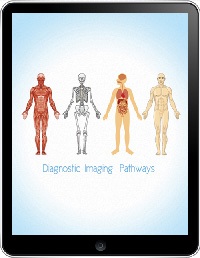
DiPHD
Diagnostic imaging pathways, an iPad application. University of Western Australia and DIP Team. UWA, 2011 ($25.99).
For this review, I loaded the DiPHD app (search the iTunes App Store for “Diagnostic Imaging”) onto an iPad 2 (64 GB wi-fi and 3G). I then ran a comparison on the same iPad against the WA Department of Health website Diagnostic Imaging Pathways (http://www.imagingpathways.health.wa.gov.au/includes), from which the app was developed. With a broadband wi-fi connection, the app was noticeably quicker.
The app does not include the Image Gallery or the Normal Anatomy from the website, but it does contain the important “Diagnostic Imaging Pathways” section. It is a valuable resource that my hospital has already adopted as its guideline for imaging pathways. It is difficult to think of an acute clinical condition that is not included. The app content is almost the same as the website, with some slight changes in layout that make it easier to access.
The layout is also a little different in that you are presented with an anatomical diagram with pointers to the various conditions. The diagram itself does not serve any real purpose and, in some body areas, appears as a picture next to a list of clinical conditions.
Like other pathways, these are also open to some debate. For example, “suspected testicular torsion” is directed to urgent surgery, even though many emergency departments have ultrasound capability to exclude torsion.
Medical apps for the iPhone and iPad have become the clear leader for bedside clinical information, and the DiPHD is well constructed and accessible. My advice to potential users is to look at the WA Department of Health website first and decide if Imaging Pathways on an iPad is going to be more useful in your clinical practice. In an office-based practice, would you access an iPad, when the same information is available on your desktop computer? Or, as a clinician or junior doctor seeking information at the bedside, does this app fill a niche? Its utility will depend on your clinical practice.
Decolonising Indigenous Health Research Requires Redefining Sex, Sexuality and Gender
Shakara Liddelow-Hunt, James H. L. Hill, Kate Daglas, Kaiwarr Clancy, Madi Day, Alistair Ott
Reducing Nitrous Oxide Emissions Across the Melbourne Biomedical Precinct
Ross Robertson, Andrew Downey, Daryl Williams, Bjorn Makein, Ben Dunne, Tugce Ozturk, Ying Gu, Rebecca McIntyre
Multimorbidity Clusters Among People Aged 65 Years and Over in Australia: A Nationwide Cross-Sectional Data Linkage Study
Weisi Chen, Christine Y. Lu, Sarah N. Hilmer, Alice A. Gibson, Edwin C. K. Tan
When ‘Liver Enzymes’ Are Not Hepatic: Late-Onset Pompe Disease
Shauna Madigan, Georgina England, Wayne Rankin
West Nile virus Kunjin subtype in rural NSW
Emily Gibson, Megan Whitley, Peter Murray, Linda Hueston, Jane Bennett, Raguharan Kathiresu, David N Durrheim
The impact of the Breast Screen NSW transition from film to digital mammography, 2002–2016: a linked population health data analysis
Rachel Farber, Nehmat Houssami, Katy J L Bell